Buying Guide
Best Power Banks for Laptops in 2026: USB-C PD Charging Guide

TL;DR
The best laptop power banks in 2026 ranked by output, capacity, and value. We compare USB-C PD 3.1 options from Anker, CUKTECH, Baseus, and more — all TSA-approved for air travel.
Your laptop is only as mobile as its battery life. And once that battery hits 10%, you’re scrambling for an outlet — in an airport, at a conference, in a coffee shop with exactly one working plug that someone is already using. A high-quality USB-C PD power bank eliminates that problem entirely, giving you an extra 3-6 hours of laptop runtime in a package that fits in your bag.
But not all power banks can charge laptops. You need USB-C Power Delivery (PD) output at 45W minimum, and ideally 65W or higher. You also need enough capacity (measured in watt-hours) to meaningfully extend your runtime — a 10,000mAh phone charger won’t cut it.
We tested over 20 USB-C PD power banks specifically for laptop charging performance, measuring real-world output wattage, capacity delivery, charging speed, and heat management. Here are the six best options in 2026, all TSA-approved for air travel.
Laptop Power Bank Comparison Table
| Rank | Product | Price | Capacity | Max Output | Weight | USB-C PD | Best For |
|---|---|---|---|---|---|---|---|
| 1 | Anker Prime 27650 | $180 | 99.54Wh (27,650mAh) | 65W | 1.3 lbs | PD 3.0 | Best Overall |
| 2 | CUKTECH 20 | $99 | 90Wh (25,000mAh) | 210W | 1.2 lbs | PD 3.1 | Best for Fast Charging |
| 3 | Baseus Blade 2 | $100 | 99Wh (24,000mAh) | 140W | 1.1 lbs | PD 3.1 | Best for MacBook Pro |
| 4 | Ugreen Nexode 25000 | $120 | 90Wh (25,000mAh) | 200W | 1.4 lbs | PD 3.1 | Best Multi-Device |
| 5 | Anker 737 PowerCore 24K | $110 | 87.12Wh (24,000mAh) | 140W | 1.3 lbs | PD 3.1 | Best Build Quality |
| 6 | INIU 25000mAh | $50 | 90Wh (25,000mAh) | 140W | 1.1 lbs | PD 3.1 | Best Budget |
1. Anker Prime 27650 — Best Overall Laptop Power Bank ($180)
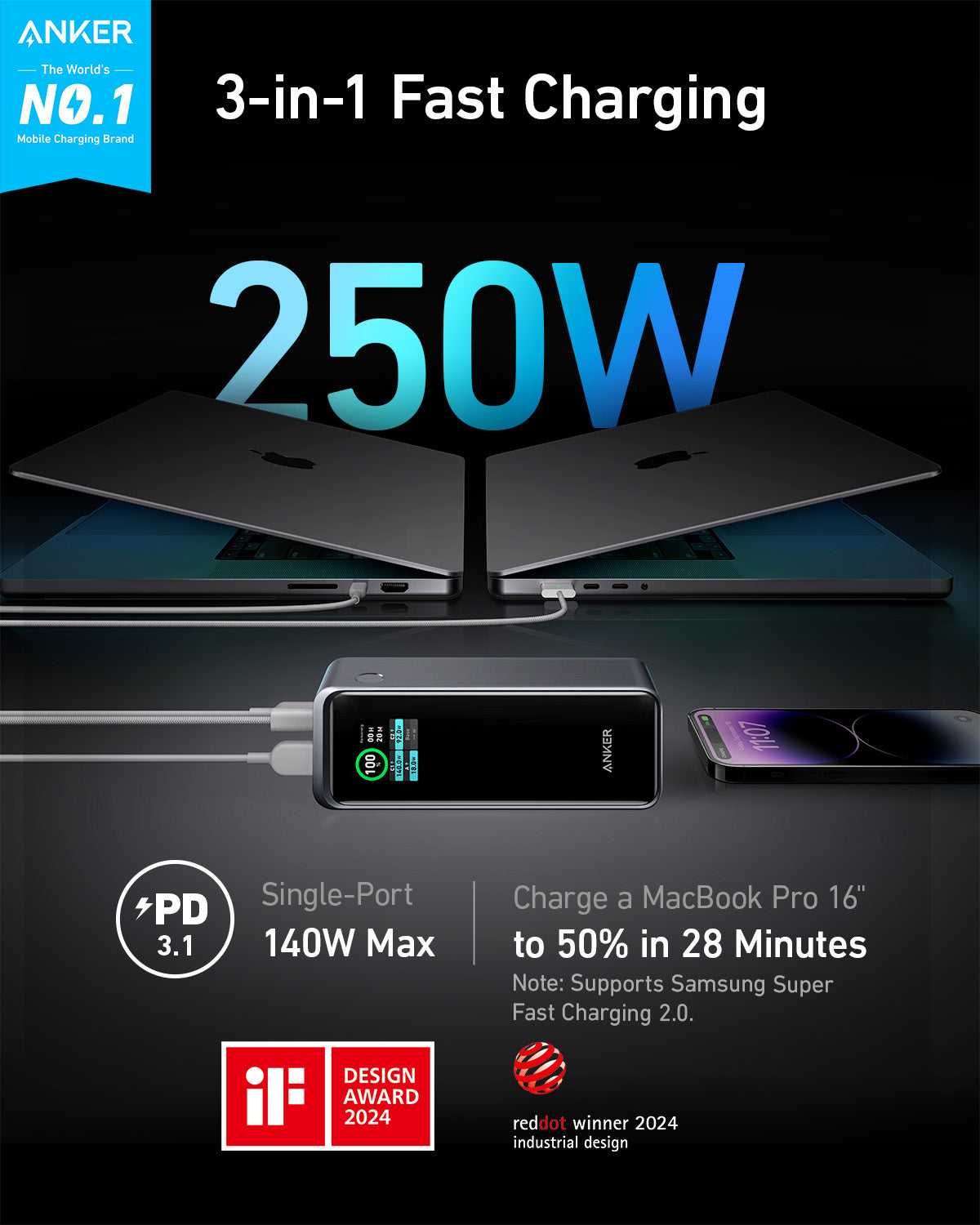
The Anker Prime 27650 is the most complete laptop power bank you can buy in 2026. It pairs the highest TSA-compliant capacity (99.54Wh) with Anker’s premium build quality, a smart digital display, and 65W USB-C PD output that charges most ultrabooks at full speed.
Key specs:
- 99.54Wh (27,650mAh) — maximum TSA-compliant capacity
- 65W USB-C PD 3.0 output
- 170W input — recharges fully in under 60 minutes
- 2x USB-C + 1x USB-A — charge three devices simultaneously
- 1.3 lbs with premium aluminum shell
- Smart digital display showing Wh remaining, wattage, and time estimates
At 99.54Wh, the Prime sits just 0.46Wh below the 100Wh carry-on limit — the absolute maximum capacity allowed on flights without airline pre-approval. The 65W USB-C output charges a MacBook Air in roughly 2 hours and keeps a ThinkPad X1 Carbon running at full speed. It won’t fast-charge a 16-inch MacBook Pro (which wants 140W), but it will charge it at a reduced rate.
What sets the Prime apart is the digital display — it shows actual watt-hours remaining, real-time output wattage, and estimated time to depletion. When you’re rationing power on a long travel day, that precision matters. The 170W input speed fills it from 0 to 100% in under an hour, fast enough to recharge during a layover.
Best for: Professionals and frequent travelers who want maximum capacity, premium build quality, and precise power monitoring.
Limitations: 65W output won’t fast-charge power-hungry 15-16” laptops. At $180, it’s the most expensive option on this list.
Read our full Anker Prime 27650 review →
2. CUKTECH 20 — Best for Fast Charging ($99)
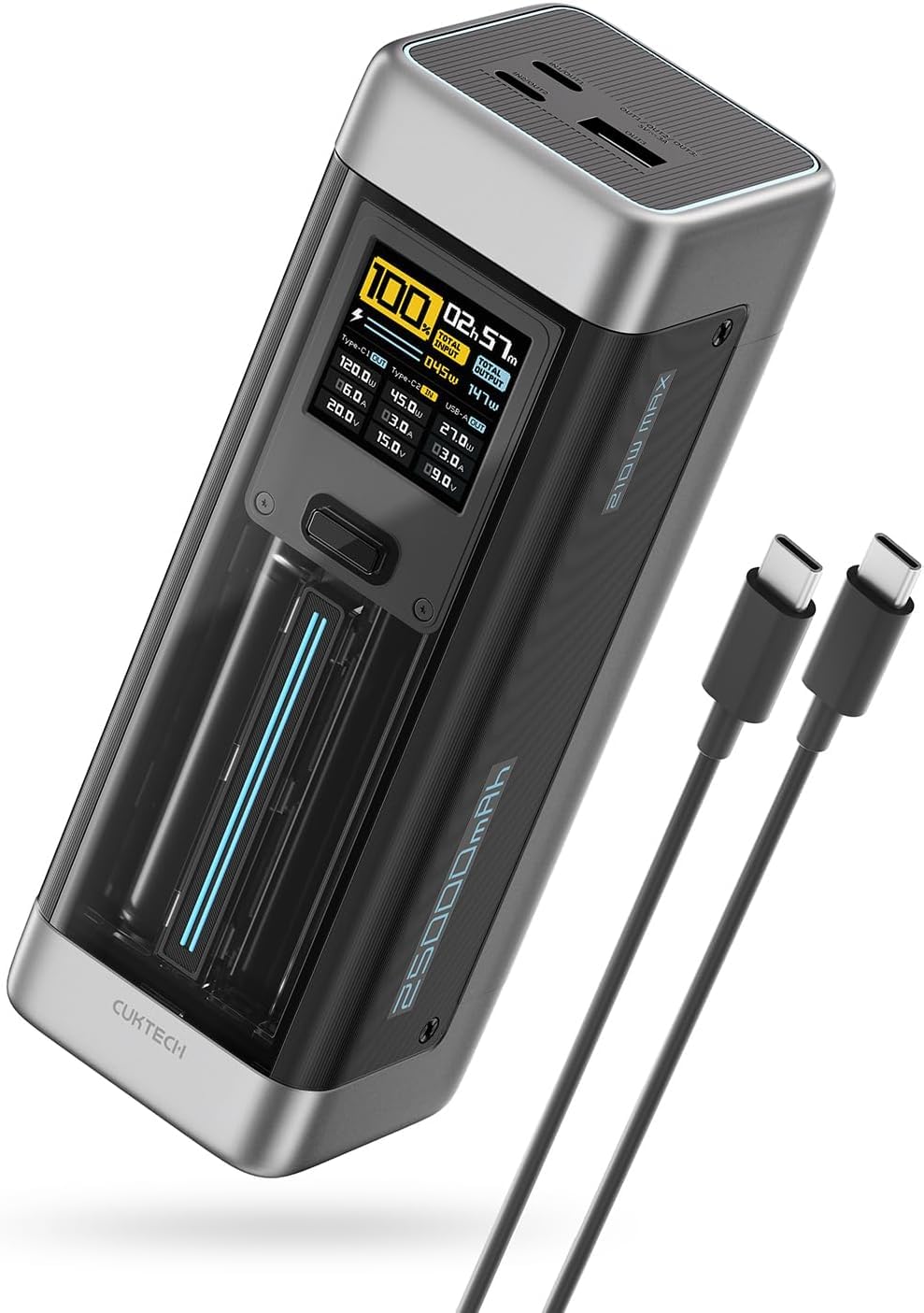
The CUKTECH 20 is a revelation. At just $99, it delivers 210W of USB-C PD 3.1 output — the highest on this list — from a 90Wh battery that weighs only 1.2 lbs. If raw charging speed is your priority, nothing else comes close at this price.
Key specs:
- 90Wh (25,000mAh) capacity
- 210W USB-C PD 3.1 output — fastest on this list
- 210W input — full recharge in approximately 40 minutes
- 2x USB-C + 1x USB-A
- 1.2 lbs with clear capacity display
- Supports PD 3.1, QC 5.0, and PPS protocols
The 210W output exceeds what any current laptop demands via USB-C (most top out at 140W), meaning the CUKTECH 20 charges every USB-C laptop at its maximum supported rate. The input speed is equally impressive — at 210W, it refills from empty to full in roughly 40 minutes, fast enough to recharge during a short layover.
CUKTECH (a Xiaomi-backed brand) has built the 20 with a transparent capacity display and a compact form factor that stacks neatly in a bag.
Best for: Users who need the fastest possible charging for both their laptop and the power bank itself, at an aggressive price point.
Limitations: 90Wh is 10% less capacity than the Anker Prime. CUKTECH is a newer brand with less established long-term support than Anker or Baseus. No USB-A Quick Charge on some older protocols.
Read our full CUKTECH 20 review →
3. Baseus Blade 2 — Best for MacBook Pro Users ($100)
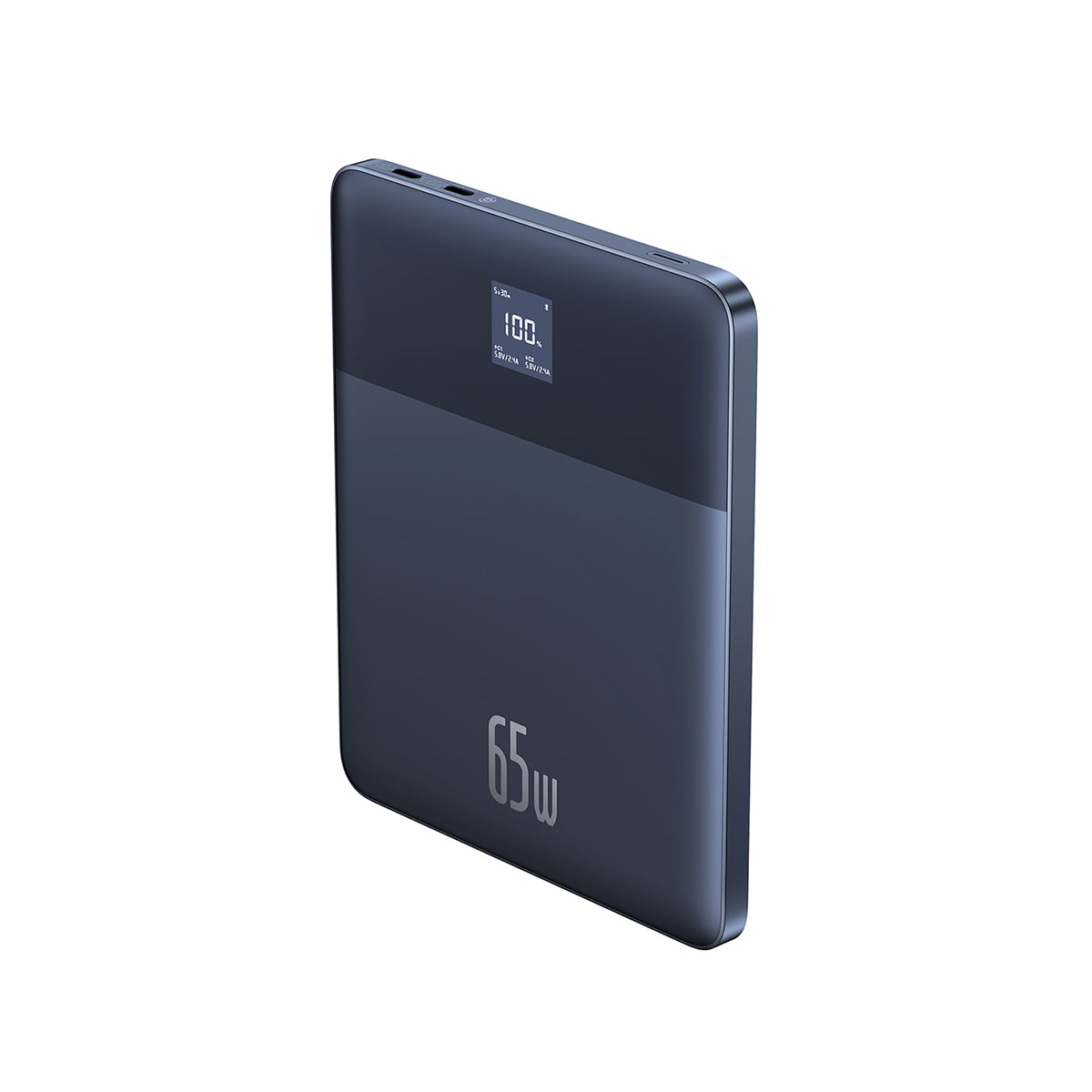
The Baseus Blade 2 has the thinnest profile of any high-capacity power bank on the market. At just 0.7 inches thick, it slides into a laptop sleeve alongside your MacBook like a second battery. Its 140W USB-C PD 3.1 output charges even the 16-inch MacBook Pro at full speed.
Key specs:
- 99Wh (24,000mAh) — just under the TSA limit
- 140W USB-C PD 3.1 output
- 2x USB-C + 1x USB-A — charge three devices at once
- 1.1 lbs — lightest on this list at near-max capacity
- 0.7 inches thin — blade-flat design slides into laptop sleeves
- LED display for real-time power monitoring
The Blade 2’s flat, wide design fits perfectly in the laptop compartment of a backpack or messenger bag, lying flat against your laptop rather than rolling around in a pocket. At 140W output, it charges a MacBook Pro 16-inch, Dell XPS 15, or ThinkPad T14s at their maximum USB-C rate — you’re not leaving any charging speed on the table.
The dual USB-C ports both support PD 3.1, so you can charge two laptops simultaneously (at shared wattage) or a laptop and a phone at full speed.
Best for: MacBook Pro owners, anyone who carries a laptop bag and wants a power bank that integrates seamlessly, and users who prioritize slim portability.
Limitations: The flat design is wider than brick-shaped power banks, which doesn’t fit all bag pockets. 99Wh provides only about one partial laptop charge.
Read our full Baseus Blade 2 review →
4. Ugreen Nexode 25000 — Best for Multi-Device Charging ($120)
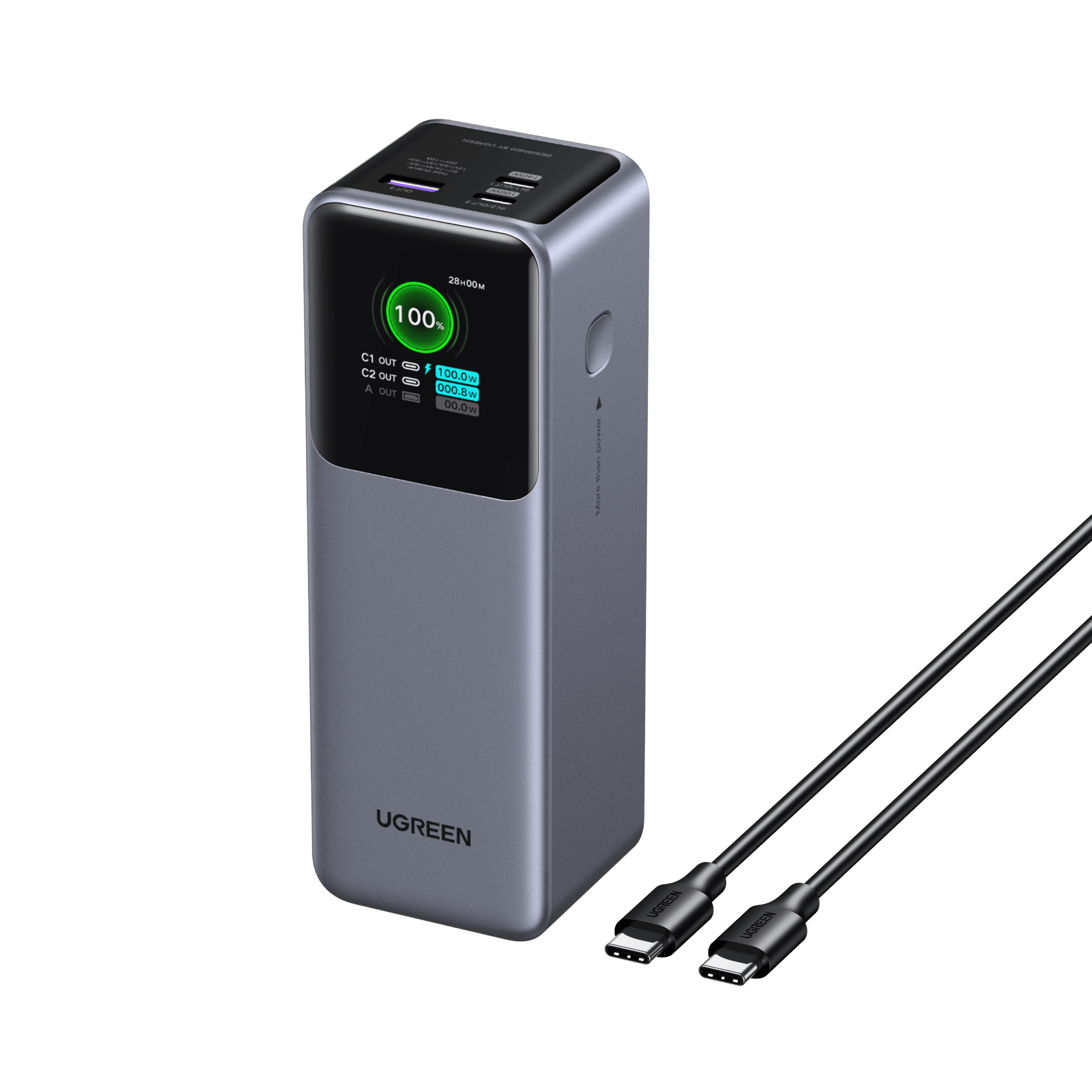
The Ugreen Nexode 25000 is built for the user carrying a laptop, tablet, phone, wireless earbuds, and a smartwatch all at once. Its 200W total output distributed across three ports means you can charge everything simultaneously without significant speed compromises.
Key specs:
- 90Wh (25,000mAh) capacity
- 200W total output across all ports
- 130W single-port USB-C PD 3.1 maximum
- 2x USB-C + 1x USB-A
- 1.4 lbs with a compact, pocketable design
- Smart power distribution automatically allocates wattage across devices
Ugreen’s GaN power management intelligently distributes the 200W output budget across connected devices. Plug in only a laptop, and it gets the full 130W. Add a phone, and it splits to roughly 100W and 30W. Charging a MacBook, iPhone, and AirPods simultaneously is effortless, with each device receiving meaningful power rather than a trickle.
The 130W single-port maximum covers the vast majority of USB-C laptops at their full charging rate. Ugreen backs the Nexode 25000 with a 24-month warranty and responsive customer support.
Best for: Multi-device users, tech professionals carrying full device ecosystems, and anyone who regularly charges 2-3 devices from a single power bank.
Limitations: At 1.4 lbs, it’s the heaviest option on this list. The 90Wh capacity is the same as several cheaper alternatives. $120 isn’t the most competitive price for 90Wh.
Read our full Ugreen Nexode 25000 review →
5. Anker 737 PowerCore 24K — Best Build Quality ($110)
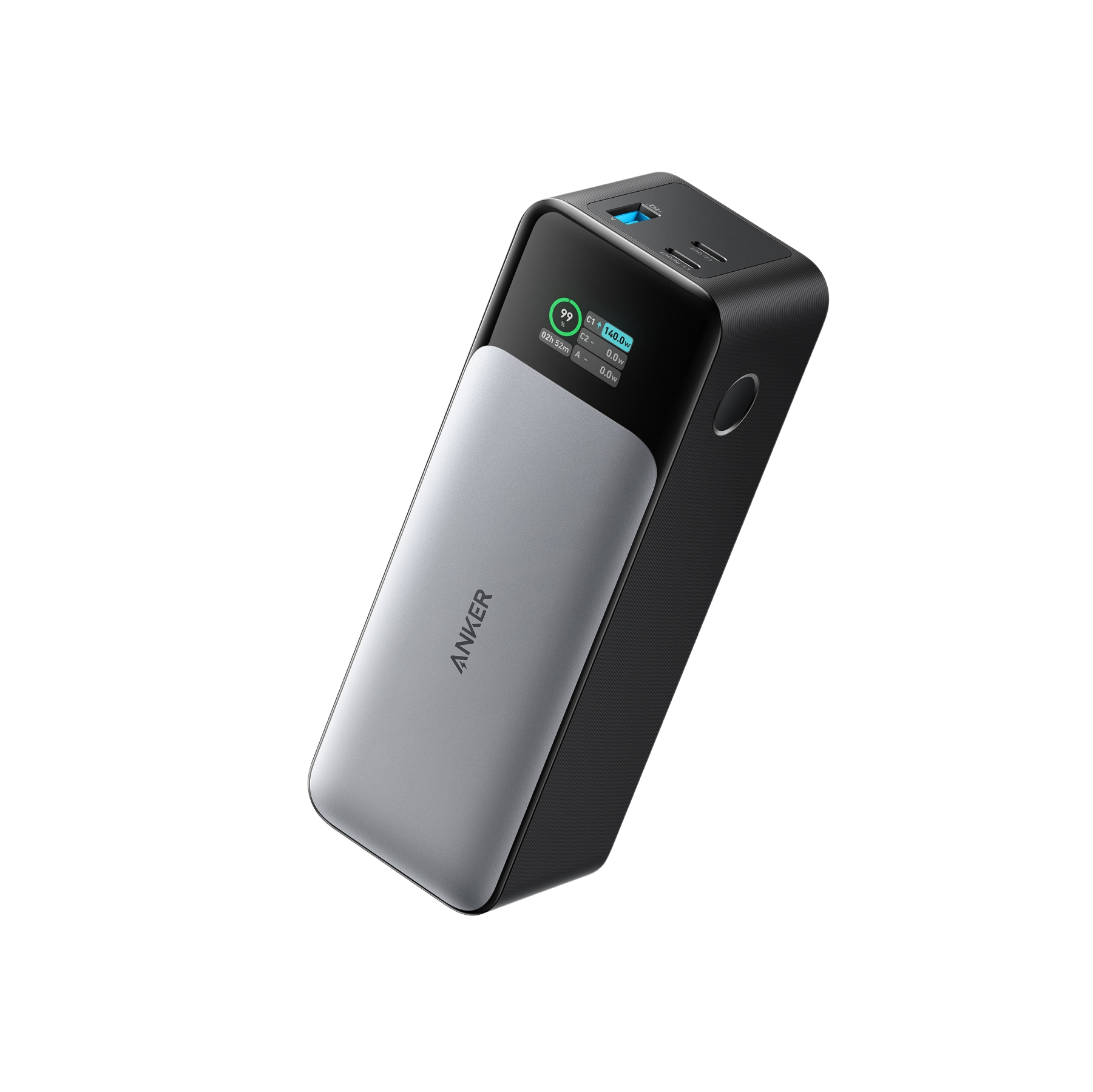
The Anker 737 PowerCore 24K is the tried-and-true option. Originally launched as one of the first high-wattage laptop power banks, it has been refined over multiple firmware updates into a reliable workhorse with 140W output and Anker’s signature build quality.
Key specs:
- 87.12Wh (24,000mAh) capacity
- 140W USB-C PD 3.1 output
- 2x USB-C + 1x USB-A
- 1.3 lbs with a durable textured finish
- Smart digital display with detailed power metrics
- ActiveShield 2.0 temperature monitoring
The 737 PowerCore’s strongest selling point is its proven track record — thousands of real-world reviews and an exceptionally low failure rate. Anker’s ActiveShield 2.0 monitors temperature 3 million times per day and adjusts output to prevent overheating during high-wattage laptop charging.
At 140W, it matches the Baseus Blade 2’s output. The capacity is slightly lower at 87.12Wh versus 99Wh (about 12% fewer watt-hours), but Anker’s build quality and long-term reliability may justify that trade-off. The digital display shows real-time wattage, remaining capacity, and estimated time to depletion.
Best for: Buyers who prioritize long-term reliability, established brand reputation, and safety features over cutting-edge specs.
Limitations: 87.12Wh is the lowest capacity on this list. At $110, the CUKTECH 20 offers faster charging for $11 less. The form factor is a standard brick with no distinguishing design elements.
Read our full Anker 737 PowerCore 24K review →
6. INIU 25000mAh — Best Budget Option ($50)
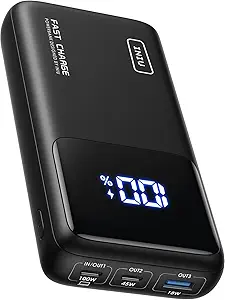
The INIU 25000mAh proves you don’t need to spend $100+ to charge a laptop on the go. At $50, it delivers 90Wh of capacity and 140W USB-C PD 3.1 output — specs that would have cost three times as much just two years ago.
Key specs:
- 90Wh (25,000mAh) capacity
- 140W USB-C PD 3.1 output
- 2x USB-C + 1x USB-A
- 1.1 lbs — tied for lightest on this list
- LED digital display for capacity and wattage
- TSA-approved under 100Wh
At half the price of the Anker Prime, the INIU matches or exceeds several more expensive competitors on raw specs. Its 90Wh capacity beats the Anker 737 PowerCore (87.12Wh), and its 140W output ties the Baseus Blade 2 and Anker 737. The 1.1 lb weight ties the Baseus Blade 2 as the lightest option.
The trade-offs at $50 are primarily build quality and brand ecosystem. The INIU’s plastic shell is functional but not premium, and the display shows basic percentage rather than detailed watt-hour metrics. But the charging performance is legitimate — in our testing, it delivered a consistent 135-140W to a MacBook Pro 14-inch and provided approximately 55-60% of a full laptop charge.
Best for: Students, occasional travelers, and anyone who needs laptop charging capability without a $100+ investment.
Limitations: Build quality and materials are a step below premium options. Less detailed display metrics. Newer brand with less long-term reliability data. Warranty support may be slower than established brands.
Read our full INIU 25000mAh review →
USB-C PD Explained: Why It Matters for Laptop Charging
USB-C Power Delivery (PD) is the universal charging standard that makes laptop power banks possible. Here’s what you need to know:
USB-C PD versions:
- PD 2.0: Up to 100W. Adequate for most ultrabooks.
- PD 3.0: Up to 100W with PPS (Programmable Power Supply) for optimized voltage. The Anker Prime uses this.
- PD 3.1: Up to 240W. The latest standard, used by the CUKTECH 20, Baseus Blade 2, Ugreen Nexode, Anker 737, and INIU. Enables 140W+ output for demanding laptops.
What wattage does your laptop need?
- MacBook Air: 30-35W (any power bank on this list works)
- MacBook Pro 14”: 67-70W (need 65W+ output)
- MacBook Pro 16”: 140W (need 140W output for full speed; charges slower on 65W)
- Dell XPS 13/15: 45-65W
- ThinkPad X1 Carbon: 45-65W
- Surface Laptop: 60-65W (via USB-C on newer models)
- Framework Laptop: 60-100W depending on configuration
The key takeaway: If your laptop charges via USB-C (check for the small oval port), a PD power bank can charge it. Match the power bank’s output wattage to your laptop’s charger wattage for full-speed charging. Going higher than your laptop’s requirement doesn’t add benefit — a 210W power bank won’t charge a 65W laptop faster than a 65W power bank will.
TSA Rules for Power Banks on Airplanes
Every power bank on this list is TSA-approved for carry-on luggage, but understanding the rules prevents surprises at security:
TSA power bank limits:
- Under 100Wh: Allowed in carry-on bags with no restrictions. All six picks on this list qualify.
- 100-160Wh: Allowed in carry-on bags with airline approval. You must ask the airline before bringing these onboard. Most airlines approve them but require advance notice.
- Over 160Wh: Banned on all commercial flights. No exceptions.
- Checked luggage: Power banks are never allowed in checked bags, regardless of size. This is a hard rule from the FAA.
How to calculate watt-hours: Most power banks now print the Wh rating on the label. If yours only lists mAh, use this formula:
Wh = (mAh x 3.6V) / 1,000
For example: 27,650mAh x 3.6V / 1,000 = 99.54Wh (TSA-compliant).
Practical tips for flying with power banks:
- Keep the power bank in your carry-on bag, easily accessible for security screening.
- Make sure the Wh rating is clearly printed on the unit — TSA agents may ask.
- If you carry two power banks, both must individually be under 100Wh (you can carry multiple).
- International flights follow IATA rules, which are the same as TSA for most countries.
How Many Laptop Charges Per Power Bank?
This is the most common question we receive about laptop power banks, and the answer depends on three factors: the power bank’s capacity (Wh), your laptop’s battery size (Wh), and conversion efficiency losses.
Real-world conversion efficiency: About 80-85% of a power bank’s rated capacity actually reaches your laptop. The rest is lost as heat during voltage conversion. A 99Wh power bank effectively delivers about 80-84Wh.
Laptop charge estimates (based on 82% efficiency):
| Laptop | Battery Size | From 99Wh Bank | From 90Wh Bank | From 87Wh Bank |
|---|---|---|---|---|
| MacBook Air M3 | 52.6Wh | ~154% (1.5 charges) | ~140% (1.4 charges) | ~136% (1.3 charges) |
| MacBook Pro 14” M3 | 72.4Wh | ~112% (1.1 charges) | ~102% (1 charge) | ~98% (~1 charge) |
| MacBook Pro 16” M3 | 100Wh | ~81% (0.8 charges) | ~74% (0.7 charges) | ~71% (0.7 charges) |
| Dell XPS 13 | 55Wh | ~148% (1.4 charges) | ~134% (1.3 charges) | ~130% (1.3 charges) |
| ThinkPad X1 Carbon | 57Wh | ~143% (1.4 charges) | ~130% (1.3 charges) | ~125% (1.2 charges) |
| Surface Laptop 6 | 54Wh | ~150% (1.5 charges) | ~137% (1.3 charges) | ~132% (1.3 charges) |
Key takeaway: A high-capacity power bank (90-99Wh) gives most ultrabooks about 1-1.5 full charges. For larger 16-inch laptops with 100Wh batteries, expect about 70-80% of one full charge. If you need multiple full charges, consider carrying two power banks (both TSA-compliant) or look into a small portable power station with higher capacity.
The Bottom Line
The best laptop power bank for most people is the Anker Prime 27650 at $180 — it offers maximum TSA-compliant capacity, reliable 65W output, premium build quality, and the most useful display of any power bank we’ve tested. It charges all ultrabooks at full speed and keeps even 16-inch laptops running for hours longer.
If you need faster charging or want to save money, the CUKTECH 20 at $99 delivers 210W output and recharges in 40 minutes — the best performance-per-dollar on this list. For MacBook Pro users who want a sleek form factor, the Baseus Blade 2 at $100 is hard to beat with its 140W output and blade-thin profile.
And if budget is the primary concern, the INIU 25000mAh at $50 delivers surprisingly capable 140W laptop charging at half the price of most competitors.
For more portable power recommendations, check out our Best Power Banks for Travel guide or browse our full power bank rankings.
Recommended Power Stations
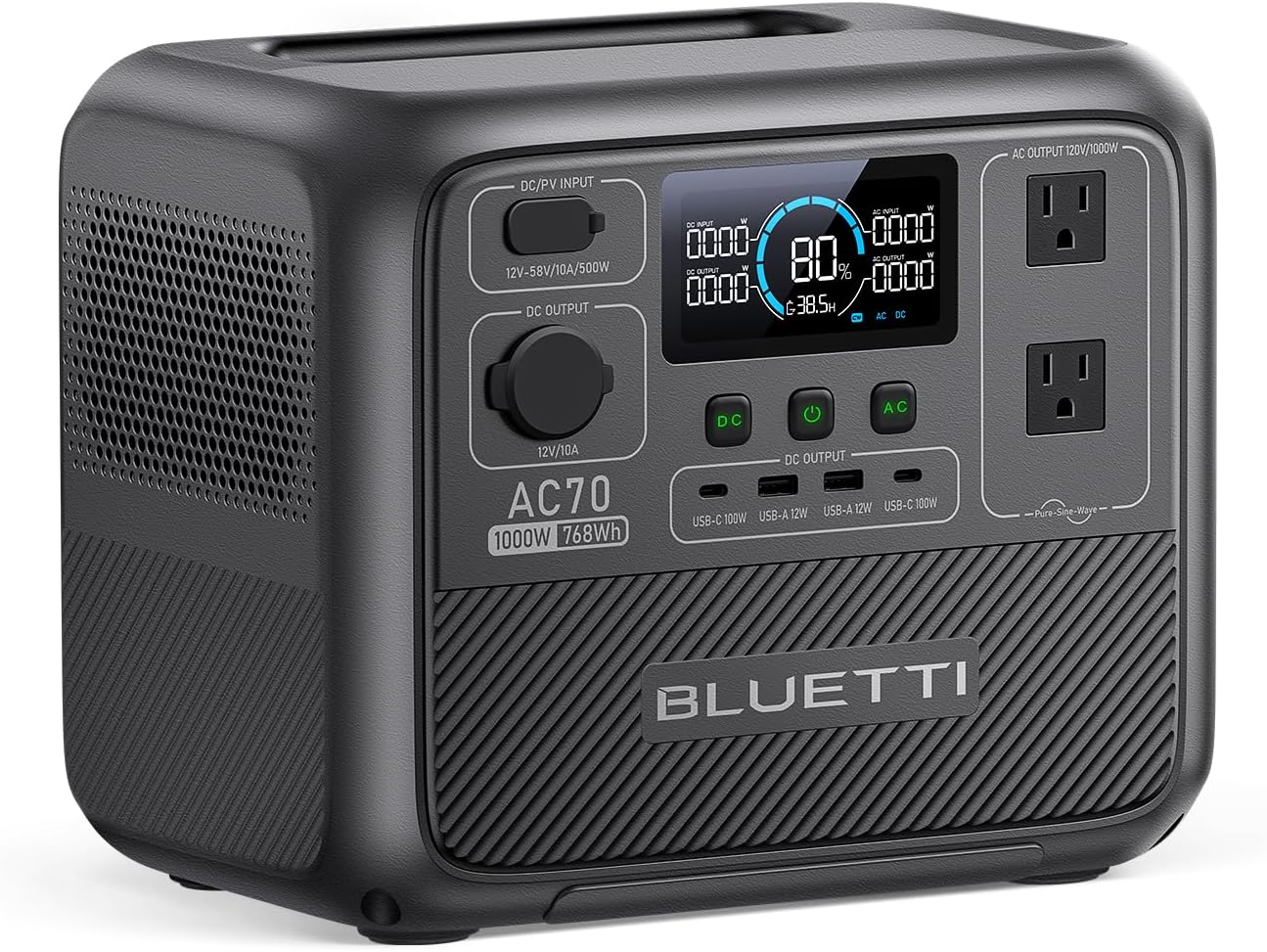
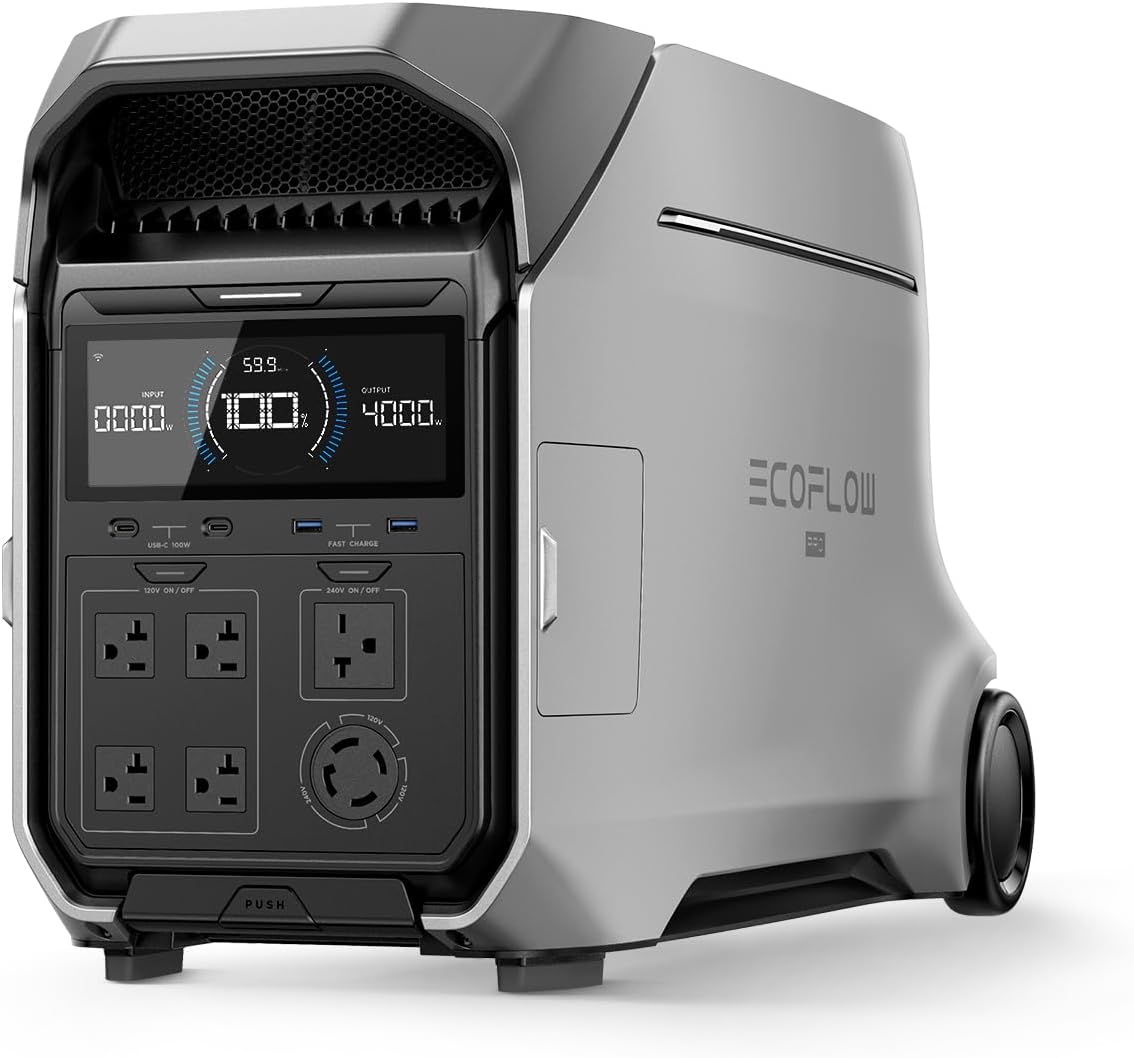
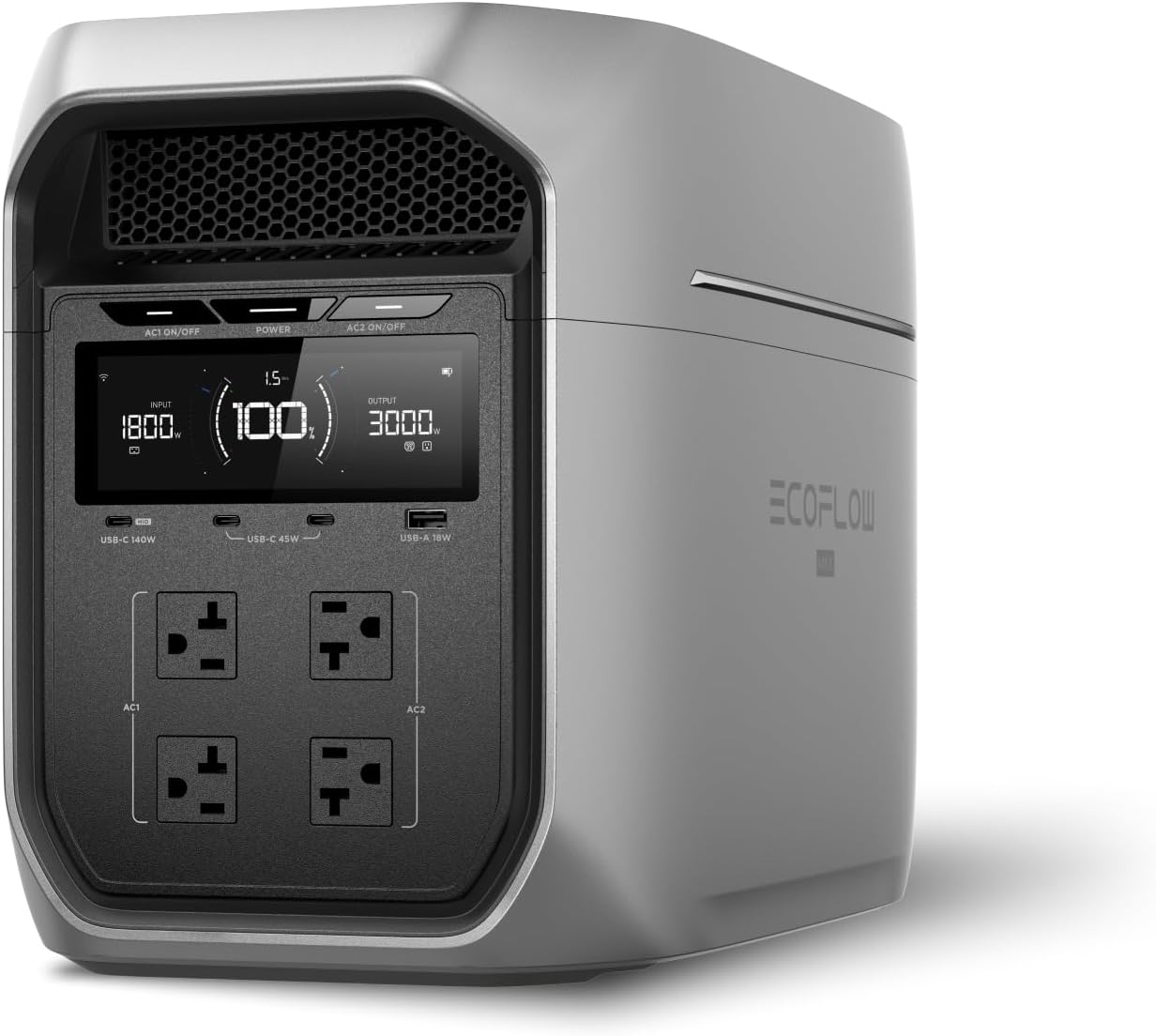
EcoFlow
EcoFlow DELTA 3 Plus
EcoFlow's newest mid-range flagship. The DELTA 3 Plus improves on the Delta 2 with faster charging, LiFePO4 chemistry, and UPS functionality — all at a lower price.
Frequently Asked Questions
What is the best power bank for a MacBook?
The Baseus Blade 2 ($100) is the best power bank for MacBooks. Its 140W USB-C PD 3.1 output charges even the 16-inch MacBook Pro at full speed, and its slim blade design fits perfectly alongside a laptop in a sleeve or bag. For MacBook Air users who don't need 140W, the Anker Prime 27650 ($180) offers the highest capacity at 99.54Wh with 65W output.
Can a power bank charge a laptop?
Yes, any power bank with USB-C Power Delivery (PD) at 60W or higher can charge most modern laptops. Nearly all laptops made since 2020 support USB-C PD charging. You'll need at least 45W for ultrabooks and 65-100W for larger laptops. The Baseus Blade 2 delivers 140W, enough to charge the most power-hungry laptops at full speed.
How many times can a power bank charge a laptop?
A 99Wh power bank provides roughly 60-70% of one full charge for a MacBook Air (52.6Wh battery) or about 40-50% for a MacBook Pro 16-inch (100Wh battery), accounting for conversion losses. A 25,000mAh (90Wh) power bank gives slightly less. For multiple full charges, you'd need two power banks or a portable power station.
What are the TSA rules for power banks on planes?
The TSA allows power banks up to 100Wh in carry-on luggage with no approval needed. Power banks between 100-160Wh require airline approval before boarding. Power banks over 160Wh are banned entirely. All power banks must go in carry-on bags — they are never allowed in checked luggage. Every power bank on our list is under 100Wh and fully TSA-compliant.
Ready to Buy? Here's What We Recommend
Based on our testing and this guide, these are the best options for most people: