Guide
Why Every Work-From-Home Professional Needs a Power Station (And Which One)

TL;DR
A power outage doesn't just mean no lights — it means no income. Here's how to protect your remote work setup with the right power station, how much capacity you actually need, and our top picks.
In 2026, an estimated 35% of US knowledge workers work remotely at least part of the week. For these professionals, a power outage isn’t just an inconvenience — it’s a lost workday, missed meetings, blown deadlines, and potentially lost clients.
If you’ve ever scrambled to a coffee shop during an outage or called into a Zoom meeting from your car, you already know the problem. Here’s the solution.
What a Power Outage Actually Costs a Remote Worker
Let’s do the math on a typical 8-hour workday lost to a power outage:
Direct costs:
- Lost wages/productivity: $200-500 (at $25-65/hour)
- Missed client meetings: difficult to quantify, but potentially relationship-damaging
- Coffee shop or coworking space: $10-25 for the day
- Gas to get there: $5-10
- Restaurant meals (no cooking at home): $20-40
Indirect costs:
- Reputation damage with clients/employer
- Delayed deliverables cascading to other projects
- Stress and disruption to routine
Conservative total: $250-600 per outage event
A quality power station costs $500-800 and prevents all of these costs for years. If you experience even one significant outage per year, the ROI is immediate.
Exactly What Your Home Office Setup Draws
Here’s what typical home office equipment actually uses in watts:
| Equipment | Typical Watts | Notes |
|---|---|---|
| Laptop (working) | 30-65W | Varies by task; video calls use more |
| Laptop (video call + charging) | 60-100W | Peak during calls |
| External monitor (27”) | 30-50W | LED/LCD; larger = more |
| Second external monitor | 30-50W | |
| WiFi router | 10-15W | |
| Cable modem | 8-12W | |
| Mesh WiFi node | 5-10W | Per node |
| Desk lamp (LED) | 5-10W | |
| Phone charger | 10-25W | While charging |
| Webcam (USB) | 2-5W | Powered by laptop |
| USB hub | 5-10W | |
| Desktop PC | 150-400W | Much more than laptop |
| Printer (standby) | 5-10W | 200-500W when printing |
Scenario 1: Essential Setup (Laptop + WiFi)
Total draw: 50-90W
Just your laptop and router — the minimum to keep working. A 500Wh power station runs this for 6-10 hours.
Scenario 2: Full Home Office (Laptop + Monitor + WiFi + Peripherals)
Total draw: 100-180W
Your normal work setup. A 1,000Wh power station runs this for 5-10 hours — a full workday.
Scenario 3: Power User (Desktop + Dual Monitors + WiFi + Peripherals)
Total draw: 250-500W
Desktop users draw significantly more power. A 1,000Wh station gives you 2-4 hours; a 2,000Wh station provides a full workday.
Our Top Picks for Work-From-Home Power Backup
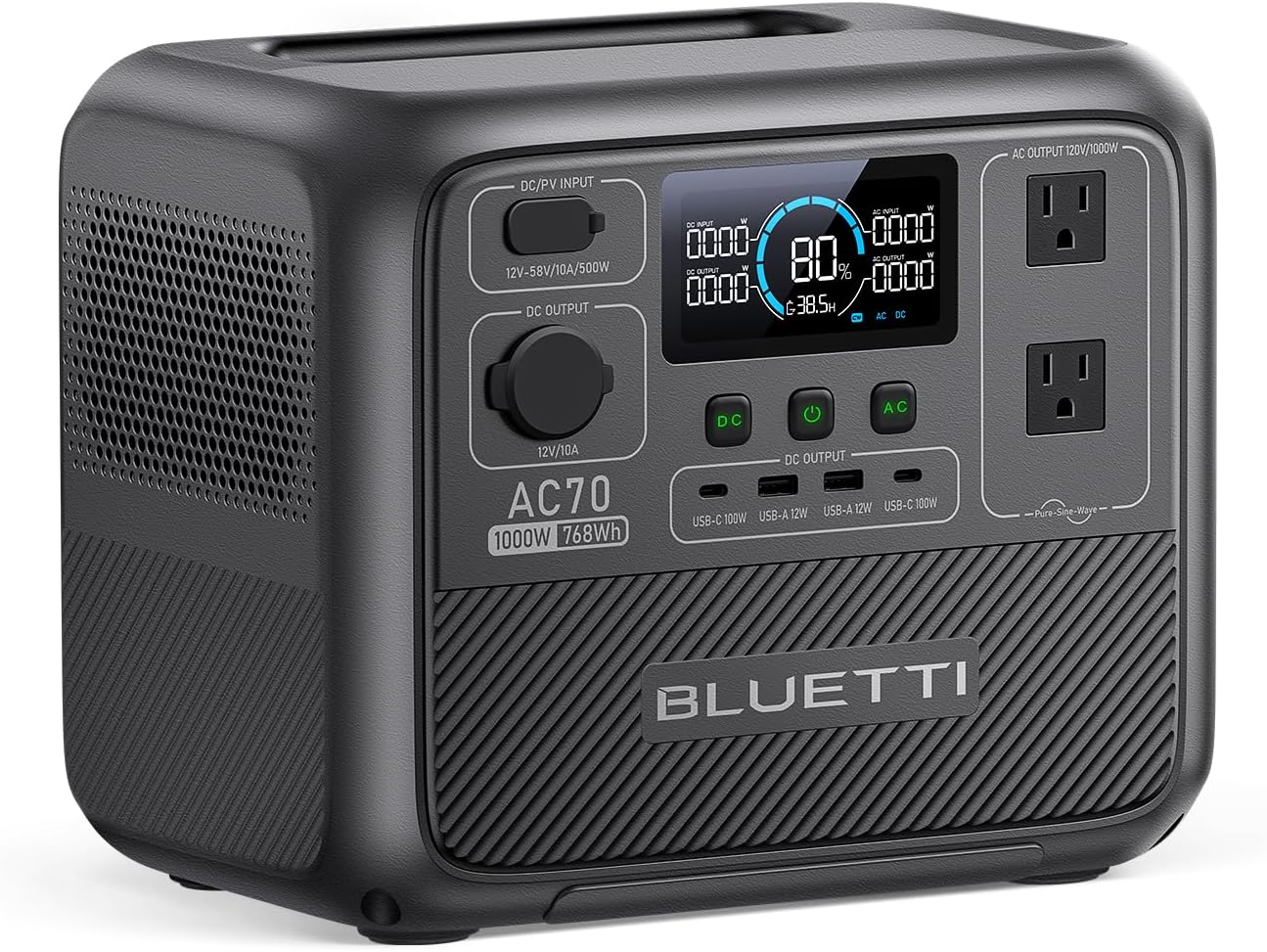
Budget Pick: Bluetti AC70 — $499
768Wh | 1,000W output | 22.7 lbs
Enough capacity for a laptop-based workday (6-8 hours of laptop + WiFi). The 1,000W output handles any home office equipment. Two AC outlets, four USB ports (including 100W USB-C), and a compact form factor that slides under a desk.
Best for: Laptop-based workers who need a full workday of backup.
See current price and full review →
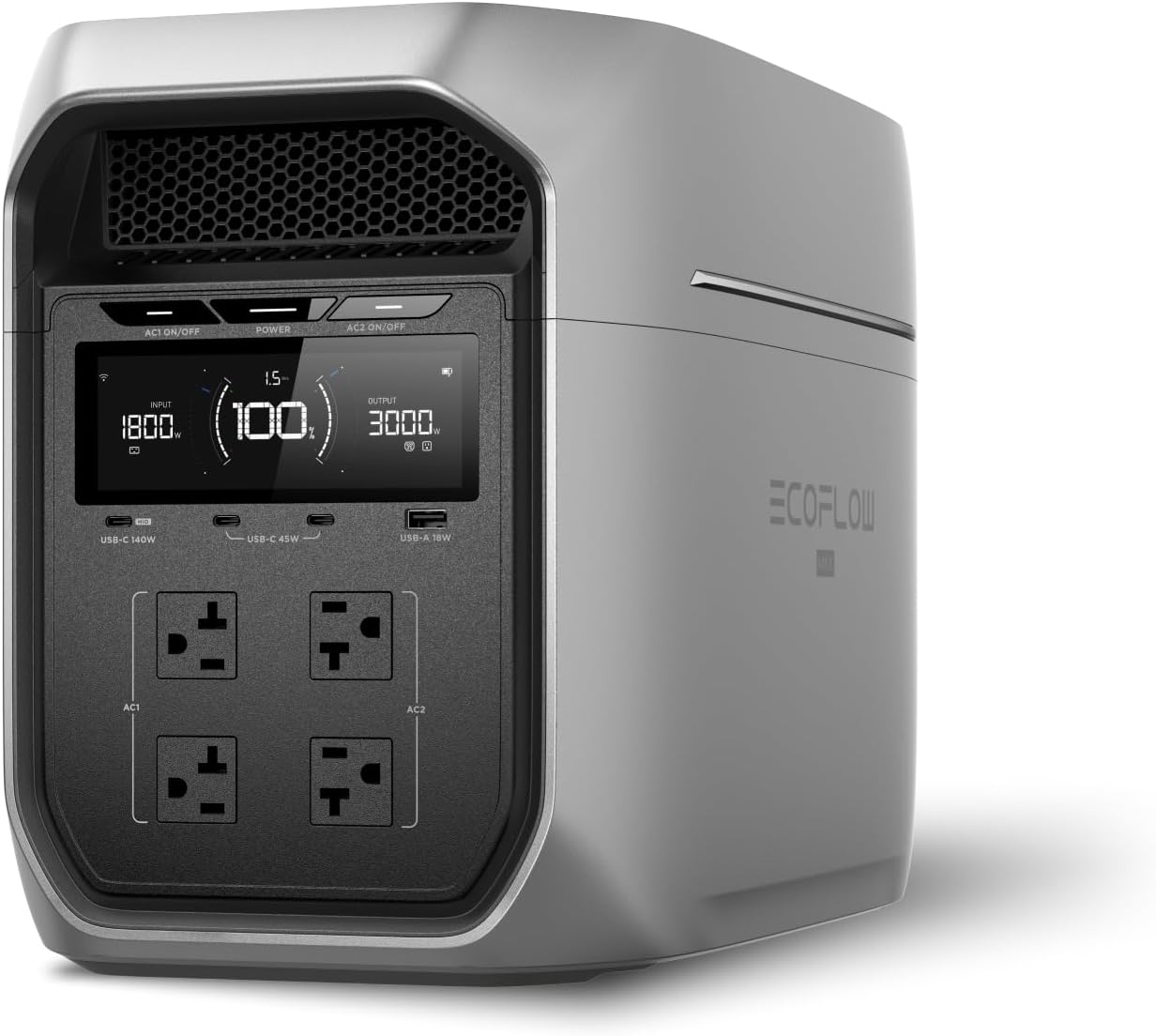
Best Overall: EcoFlow DELTA 3 Plus — $649
1,024Wh | 1,800W output | 17.6 lbs
Our top pick for home office backup. 1,024Wh powers a full office setup (laptop, monitor, router, lamp) for 6-10 hours. The 1,800W output means it can also run your coffee maker during the outage — a genuine morale boost. 140W USB-C PD port fast-charges any laptop at full speed.
The EcoFlow app lets you monitor remaining runtime from your phone, and the passthrough charging feature means you can keep it plugged in as an always-ready UPS-style backup.
Best for: Most remote workers. Enough capacity for a full workday with a comfortable margin.
See current price and full review →
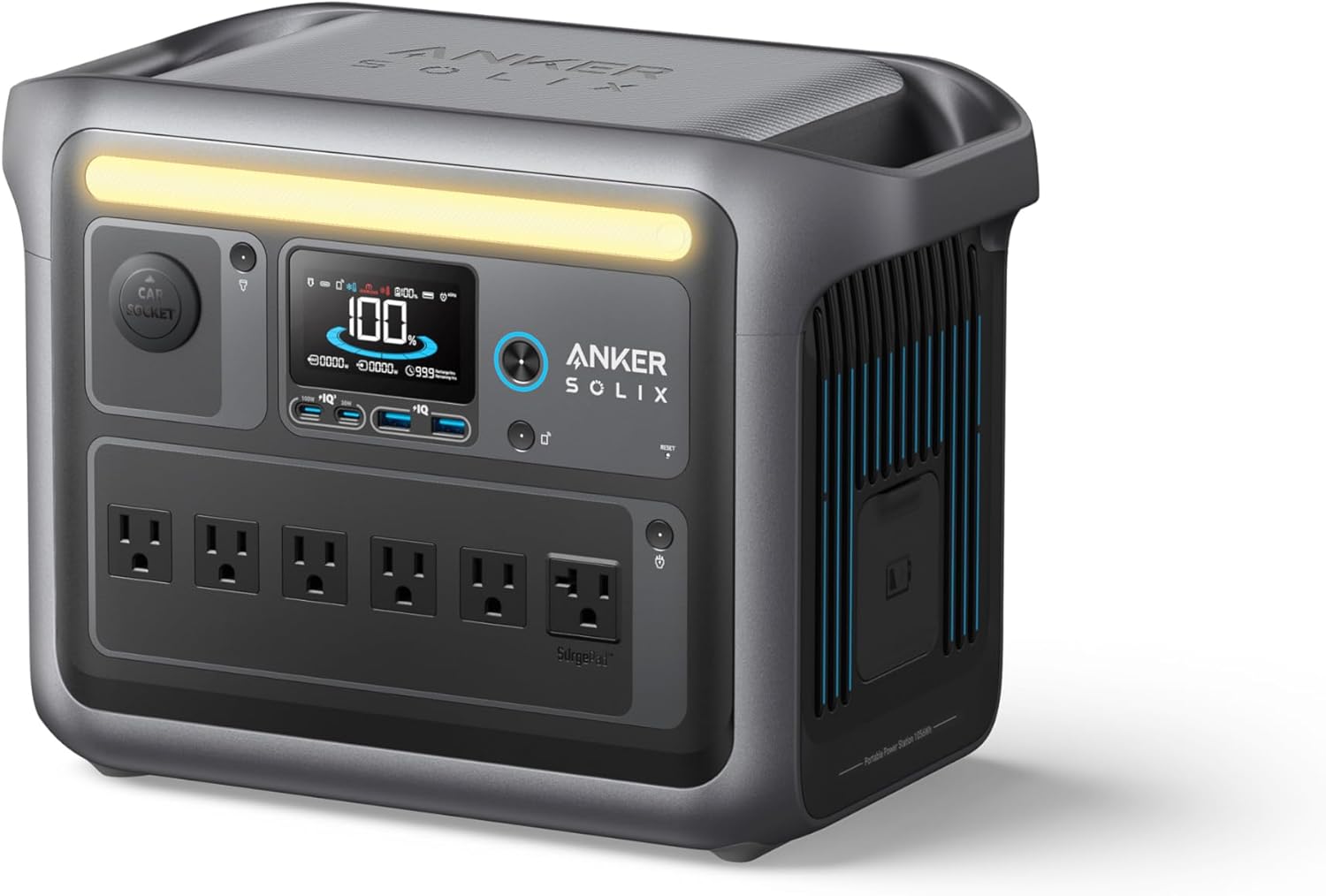
Desktop Users: Anker SOLIX C1000 — $699
1,056Wh | 1,800W output | 27.6 lbs
Similar capacity and output to the DELTA 3 Plus, with Anker’s build quality and 10-year warranty. The 1,056Wh capacity handles a desktop PC setup for 3-4 hours — enough to save your work, attend a critical meeting, or finish a deadline.
Note for desktop users: Pair with a basic UPS ($50-100) for your PC tower. The UPS provides instant switchover (preventing a hard shutdown) while the power station provides the hours of runtime the UPS can’t.
Best for: Desktop PC users who need reliable backup for the full workstation.
See current price and full review →
Heavy-Duty: EcoFlow DELTA Pro 3 — $1,999
4,096Wh | 4,000W output | 51.8 lbs
If you run a home business with heavy equipment (desktop, multiple monitors, printer, NAS, server) or need multi-day backup capability, the DELTA Pro 3 provides enterprise-level capacity. 4,096Wh powers a full home office for 20+ hours, and it expands to 48kWh with additional batteries.
Best for: Home-based business owners, content creators with heavy editing rigs, and anyone who needs multi-day backup.
See current price and full review →
Setup Guide: Always-Ready Home Office Backup
The Simple Setup (5 minutes)
- Place your power station under or beside your desk
- Keep it plugged into the wall (passthrough/UPS mode)
- Route your essential devices (laptop charger, monitor, router) through the power station’s outlets
- When power goes out, the power station takes over automatically — no manual switching
The benefit: Zero interruption. Your laptop stays on, your WiFi stays up, and you keep working while your neighbors go dark.
Managing Your Runtime
During an outage with no estimated restoration time, triage your power:
Priority 1: Keep working (must-have)
- Laptop + WiFi router = 60-80W
- Phone charger = 15W
Priority 2: Comfortable working (nice-to-have)
- External monitor = 30-50W
- Desk lamp = 5-10W
Priority 3: Quality of life (luxury during outage)
- Coffee maker (brief use) = 1,000W for 5 min = 83Wh
- LED room lights = 20W
If the outage might last all day, drop to Priority 1 and stretch your battery. If it’s likely a 2-3 hour outage, keep everything running normally.
Adding Solar for Extended Backup
For professionals in outage-prone areas, adding a 200W solar panel to your power station ensures you can work through multi-day outages:
- A 200W panel generates ~600-800Wh on a sunny day
- That’s enough to power an essential home office setup (80W) for 8-10 hours
- Net energy positive: solar income exceeds daily office consumption
Place the panel on a balcony, patio, or south-facing window during outages. It folds away when not needed.
The Bottom Line
For remote workers, a power station isn’t a luxury — it’s business continuity insurance. The EcoFlow DELTA 3 Plus at $649 protects a full workday of productivity and pays for itself after a single avoided outage for most professionals.
Compare models in our power station comparison tool or browse the full power station category for all options.
Related Reading
- Best Power Station for Remote Work — our complete ranking
- Best UPS for Home Office — UPS options for desktops
- Power Station for Apartment Dwellers — apartment-specific advice
- Power Outage Survival Guide — step-by-step outage plan
- How Much Power Does Your Home Actually Use? — full household energy audit
Recommended Power Stations
EcoFlow
EcoFlow DELTA 3 Plus
EcoFlow's newest mid-range flagship. The DELTA 3 Plus improves on the Delta 2 with faster charging, LiFePO4 chemistry, and UPS functionality — all at a lower price.
Frequently Asked Questions
How long can a power station keep my home office running?
A typical home office setup (laptop, monitor, WiFi router, phone charger) draws 100-200W total. A 1,000Wh power station runs this for 5-10 hours — a full workday. A 500Wh station gives you 2.5-5 hours for essential meetings and deadlines. If you only need laptop and WiFi, you can stretch runtime significantly by skipping the external monitor.
Can a power station run dual monitors?
Yes. A typical 27-inch LCD monitor draws 30-50W. Two monitors add 60-100W to your load. A 1,000Wh power station can run a laptop, two monitors, and a WiFi router for about 4-6 hours. If battery life is critical, use your laptop screen instead of external monitors to save 60-100W.
Will a power station keep my internet working during an outage?
A power station can power your WiFi router and modem (typically 15-25W combined), but your internet only works if your ISP's infrastructure (neighborhood node, fiber terminal) also has power. Cable and fiber internet often stays up for 4-8 hours on ISP battery backup. If your ISP goes down, switch to a mobile hotspot on your phone — most carriers offer at least 15-50GB of hotspot data per month.
Should I get a UPS or a power station for my home office?
A UPS provides instant, zero-gap switchover — critical for desktop PCs and servers that can lose data from even a momentary power drop. A power station has a small switchover delay (10-20ms) but offers far more capacity. For laptop users, the laptop battery bridges the gap, so a power station is perfect. For desktop users, consider a UPS for the PC and a power station for everything else. See our UPS buying guides for more.
Ready to Buy? Here's What We Recommend
Based on our testing and this guide, these are the best options for most people: